When you are part of a club on ShuttleOps you'll get access to their diary of sessions. For each club you are part of there will be a new menu item in the navigation on the left. Selecting the club you are interested in will shown the sessions for that club.
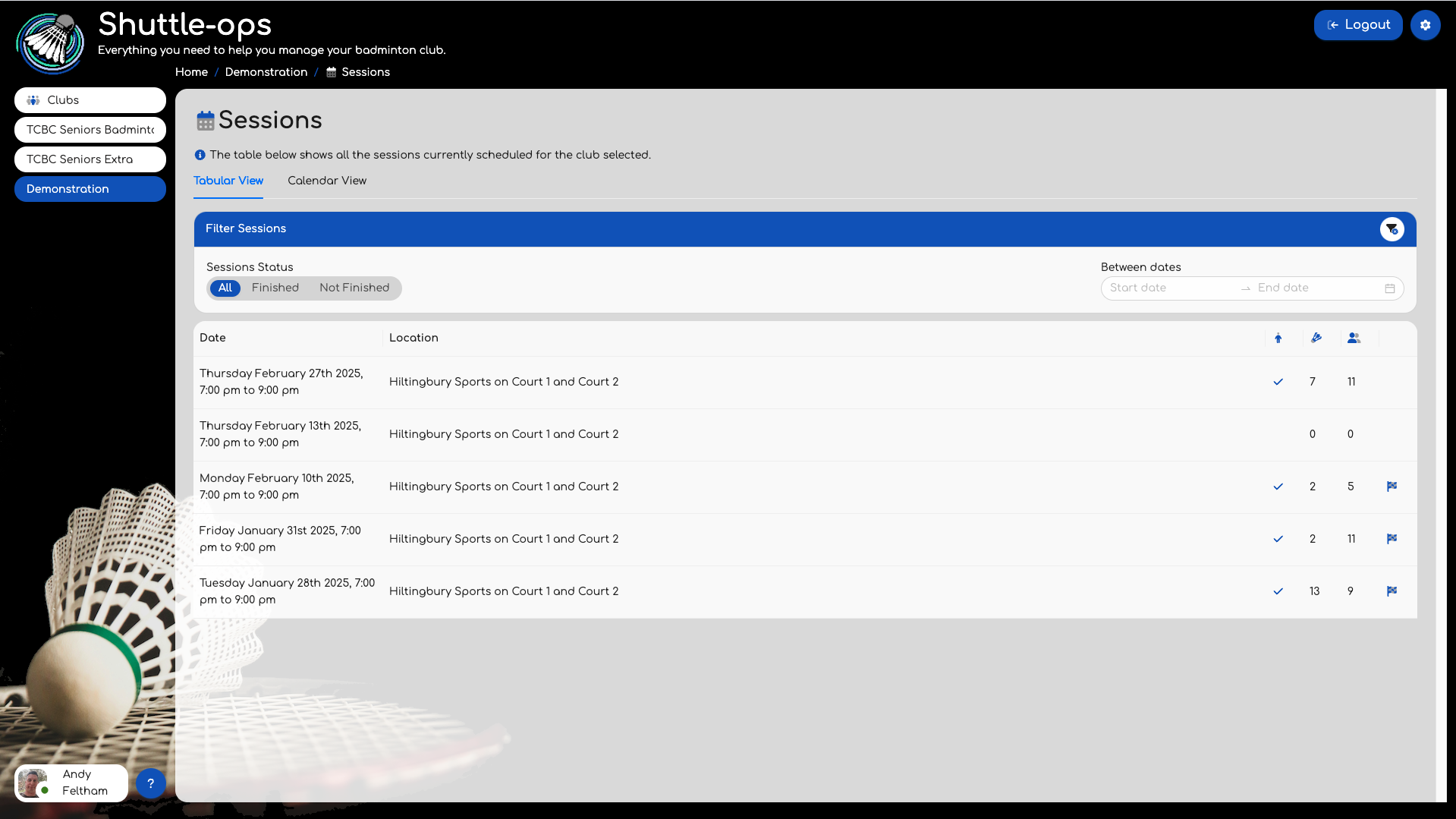
Each session will show a tick if you have attended it, list the number of games & players, and show a small flag if the session is finished. You can click on any of the sessions to view more details about that session including your own stats if you attended the session.
If you've clicked on any future sessions then the resulting page will show you information about the session and provide options to indicate if you are planning to attend or not.
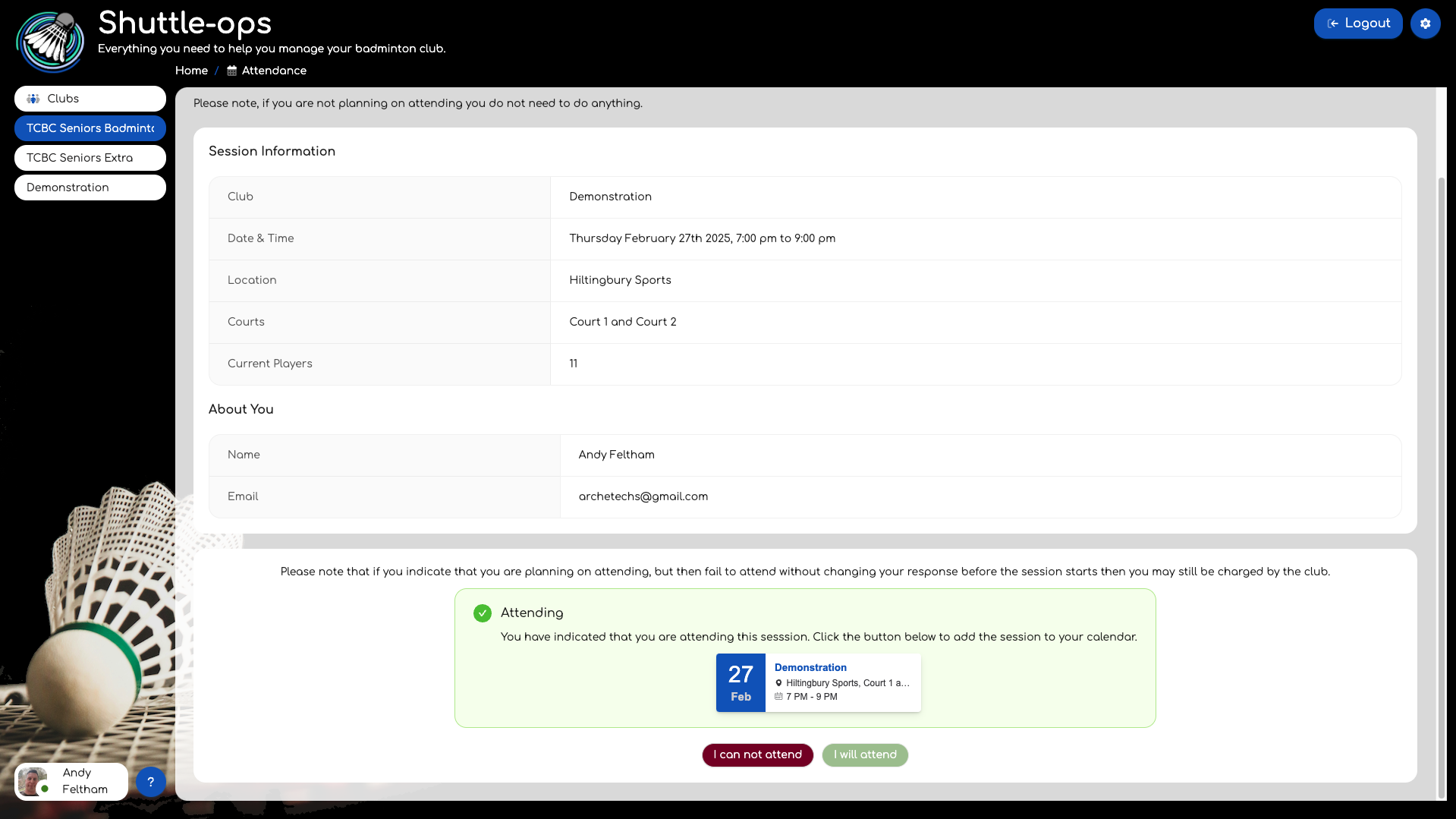
Indicating if you are attending or not helps to plan the session and ensures the club doesn't book more courts than you need.
If you wish, clicking on the calendar details above the button will allow you to add an entry into a calendar of your choice, for example Google Calendar, Apple or Outlook.
Was this article helpful?
That’s Great!
Thank you for your feedback
Sorry! We couldn't be helpful
Thank you for your feedback
Feedback sent
We appreciate your effort and will try to fix the article