When you are part of a club, you'll get a menu item for that club added to the menu. This allows you to easily see the sessions that have happened, and those upcoming for your club.
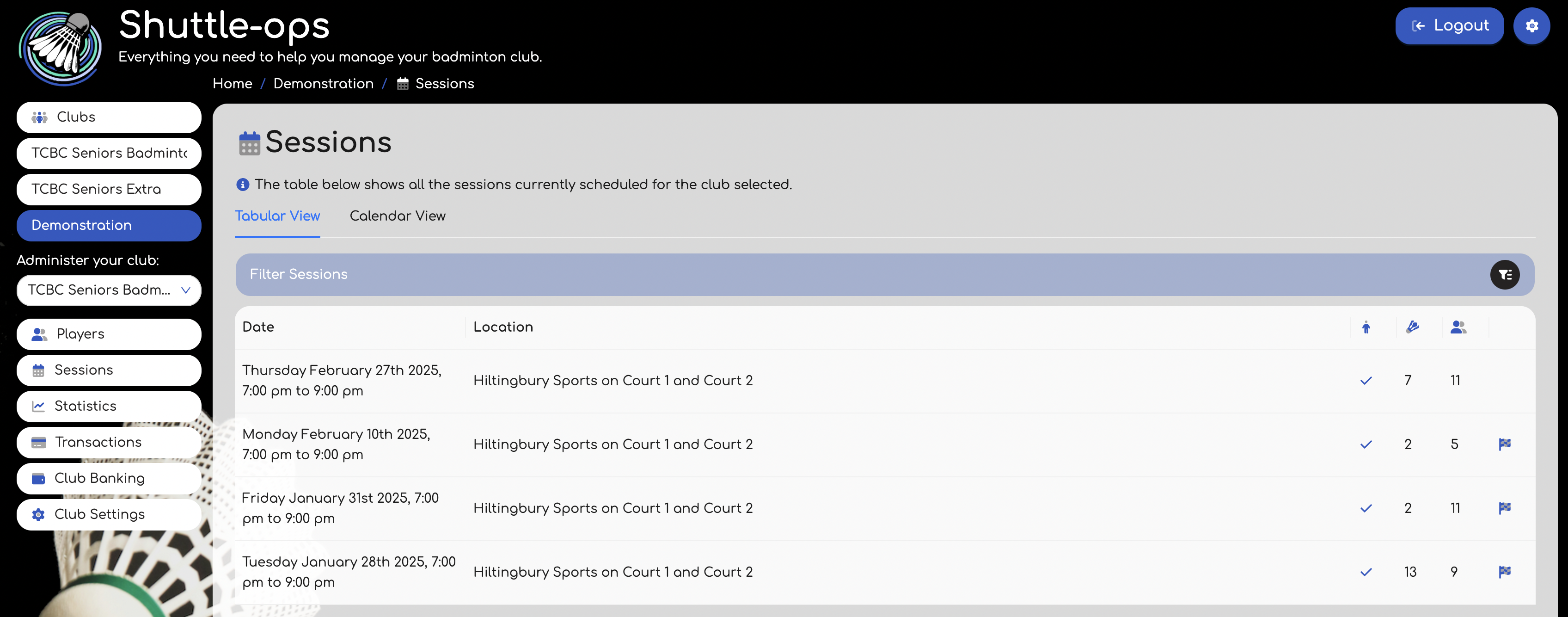
The table indicates the club, location, and the number of games and players there were. If there is a tick icon shown then this means you have attended it. Likewise a finish flag means that its a past session.
Even if the session is finished, clicking on any of the rows will take you to a summary screen for that session.
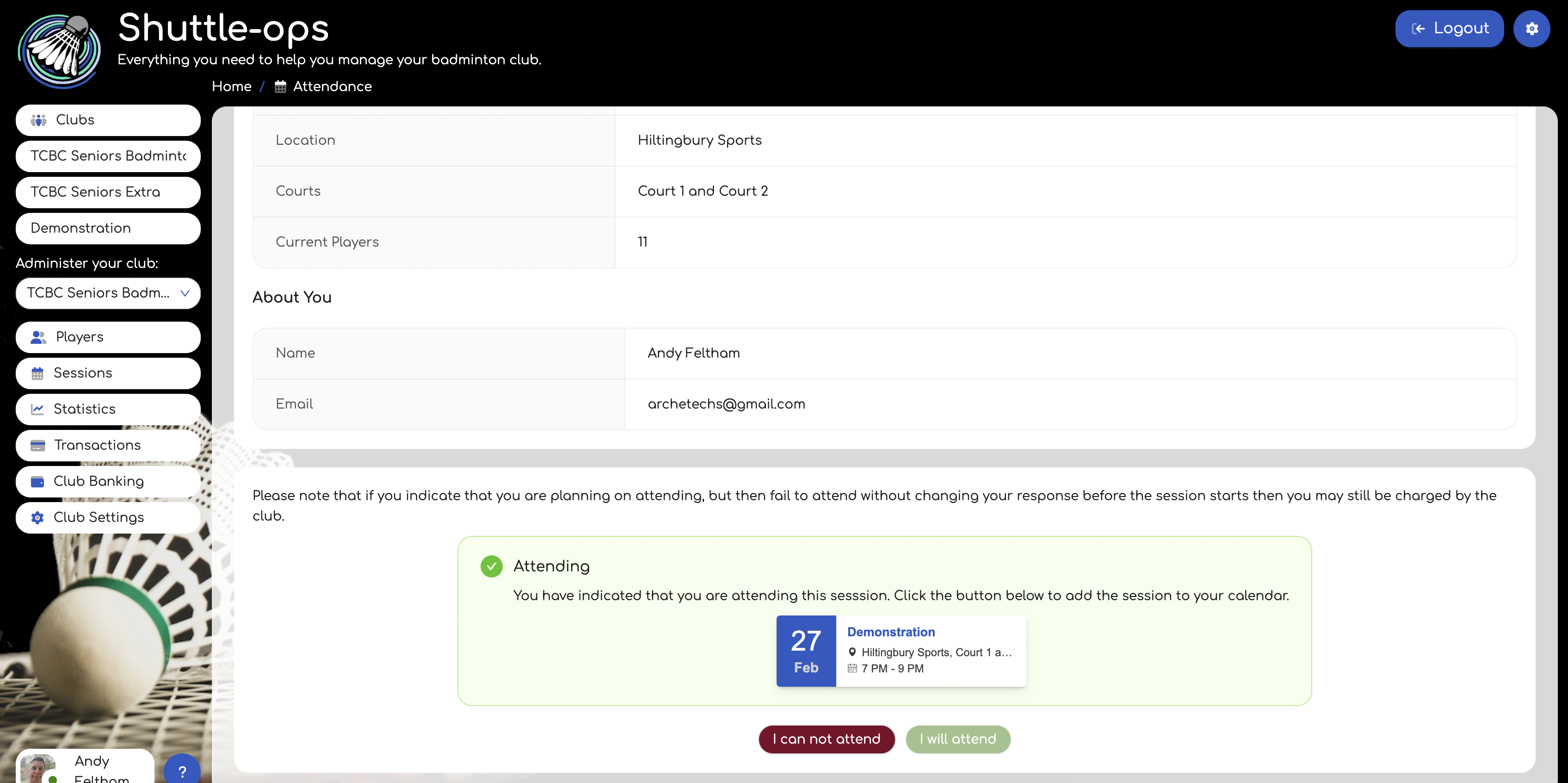
If the session hasn't started, then at the bottom of this summary will be options to indicate if you can or can't make it. This helps with the planning of the session and potentially allows the club to book more courts if needed. There might be a maximum player limit on the session and so at times you won't be able to indicate that you will attend because it is full. Clicking on the calendar entry will allow you to add the session to a calendar of your choice.
For sessions that have finished, this page will also show your stats for the session. You can read more about this in our other articles such as Understanding Session Stats, and My Stats.
Was this article helpful?
That’s Great!
Thank you for your feedback
Sorry! We couldn't be helpful
Thank you for your feedback
Feedback sent
We appreciate your effort and will try to fix the article