At the time you created your session you added two courts, but now you've got more people than you expected and you need to add another. No problem! Forgot to add a virtual court to manage the players who are waiting? That's not a problem either.
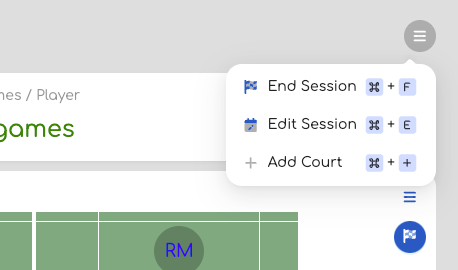 | 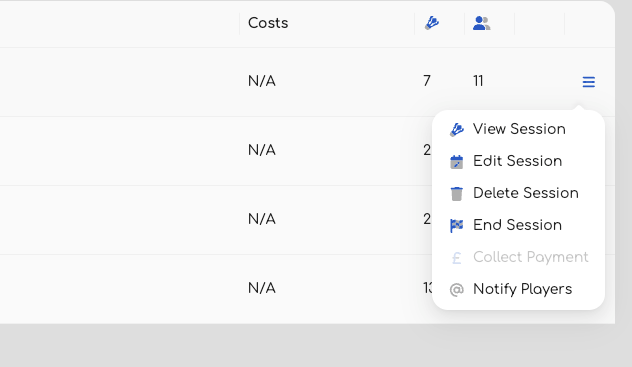 |
If you are in a session ( left ), or if you are looking at the list of sessions ( right ) then as long as the session hasn't started then you'll find an "Edit Session" option. Clicking on this will take you to a similar process that you used to create the session in the first place, but with the current values already populated. Simply make any changes you need - such as date, time, or the number of courts - and complete the process by saving the session.
Alternatively if you only want to add a court to the session you are in a the moment then the "Add Court" menu is the quickest.
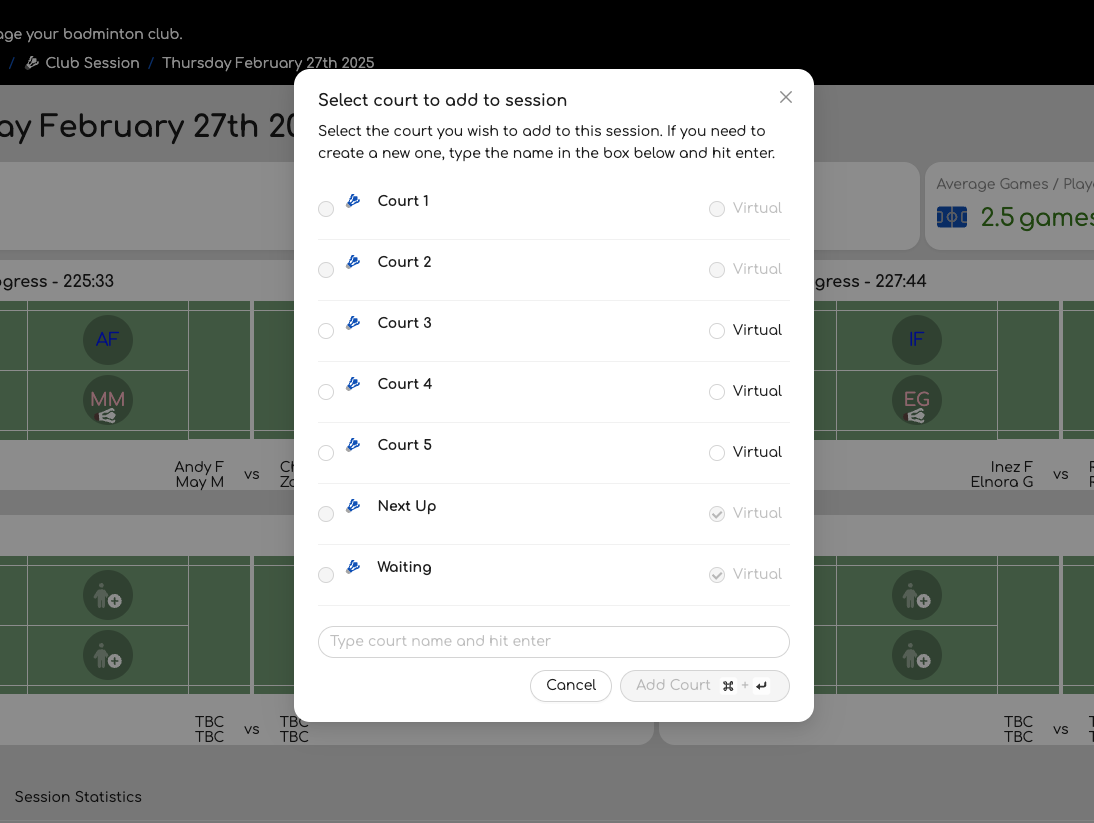
Clicking this will open a window that lists all the courts for the location of this session. Any that are already in use will be disabled. If you wish to add one or more courts then simply select them using the checkboxes to the left of the name. Once you are done click the "Add Court" button and these will be added to the session.
As a reminder, the "Virtual" courts you won't be able to start or finish games on, but can be useful for managing waiting players.
Was this article helpful?
That’s Great!
Thank you for your feedback
Sorry! We couldn't be helpful
Thank you for your feedback
Feedback sent
We appreciate your effort and will try to fix the article