Once you've created a Club, then creating a location should be next on your list. All sessions are based at a specific location and this helps your players remember where they need to go. To create a location, head on over to the Club Settings page and from there, use the "Club Locations" tab.
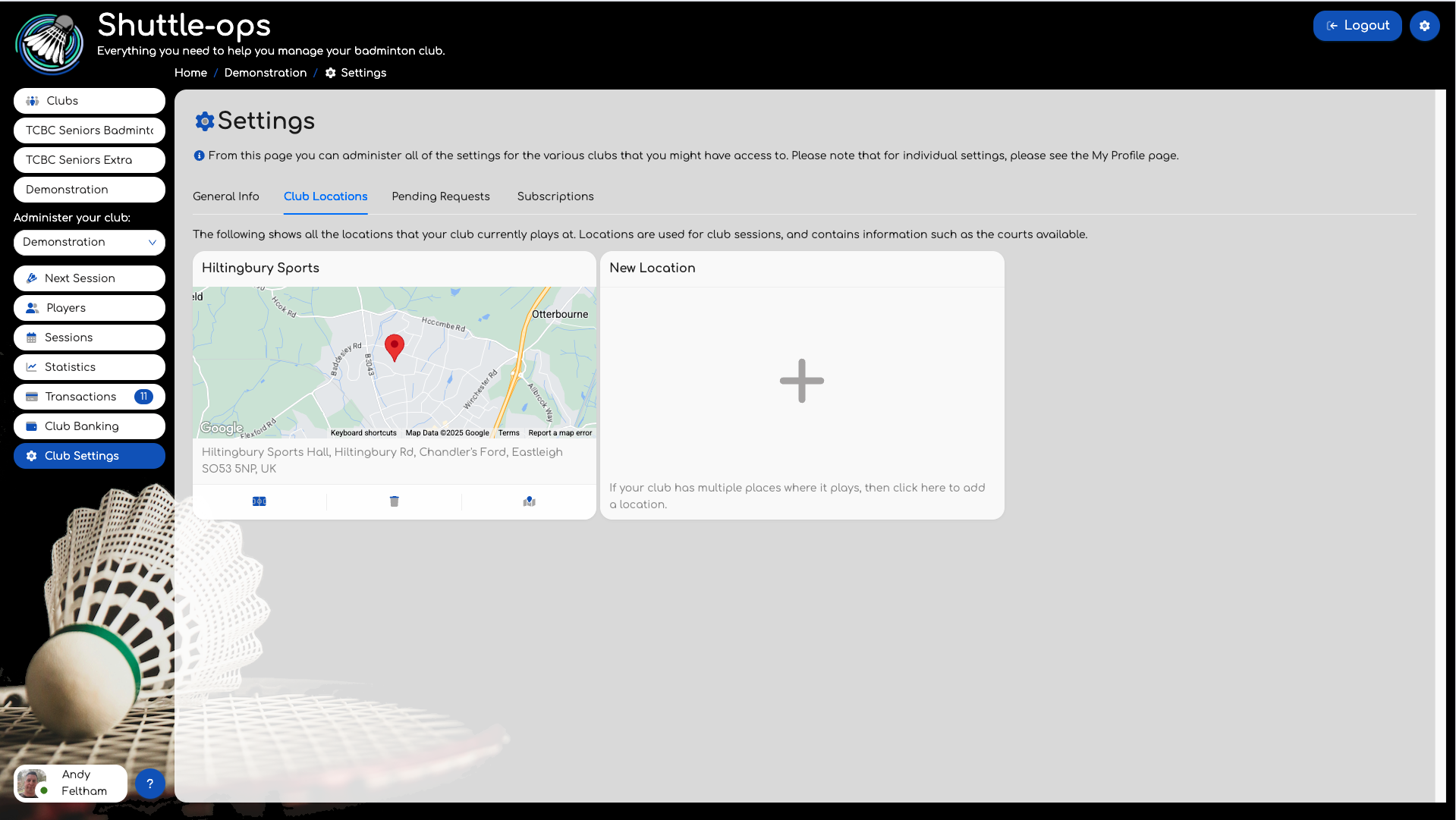
The list will initially be empty but clicking on the Plus icon will allow you to easily add a location. Using the resulting popup search for the facility name using the input box.
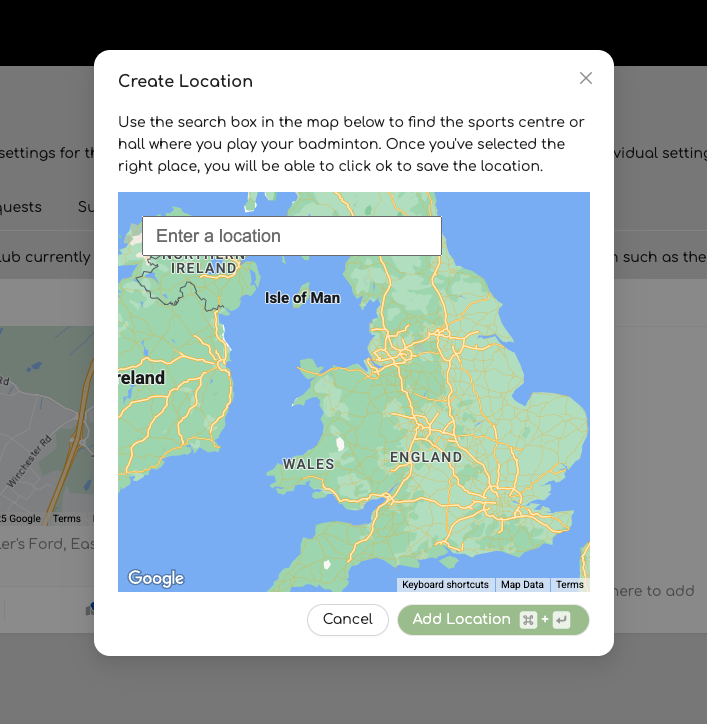
Once you've selected a location from the list, the map will update to confirm its location. If you are happy, press the "Add Location" button and this new location will be added to the locations available to the club.
Note that now that you have a location, you'll need to add the courts you use to this location. For example, the location might have 4 courts, but your club only uses court 1 and 2. In this instance you'll need to click on the court icon for that location and add these two courts in. When you create a session you can then choose the location and the courts that will be used for that session.
Was this article helpful?
That’s Great!
Thank you for your feedback
Sorry! We couldn't be helpful
Thank you for your feedback
Feedback sent
We appreciate your effort and will try to fix the article