Creating a club within ShuttleOps is simple, and should only take a few minutes. First you'll need to be registered in the platform. Please ensure you've logged in before continuing. Once logged in, head over to the Clubs page and use the search bar to find your club. This is a quick check to make sure someone else hasn't already created your club first!
If no club can be found you'll see an option to create a club and after clicking on this you'll be able to enter a few details such as name, description and website.
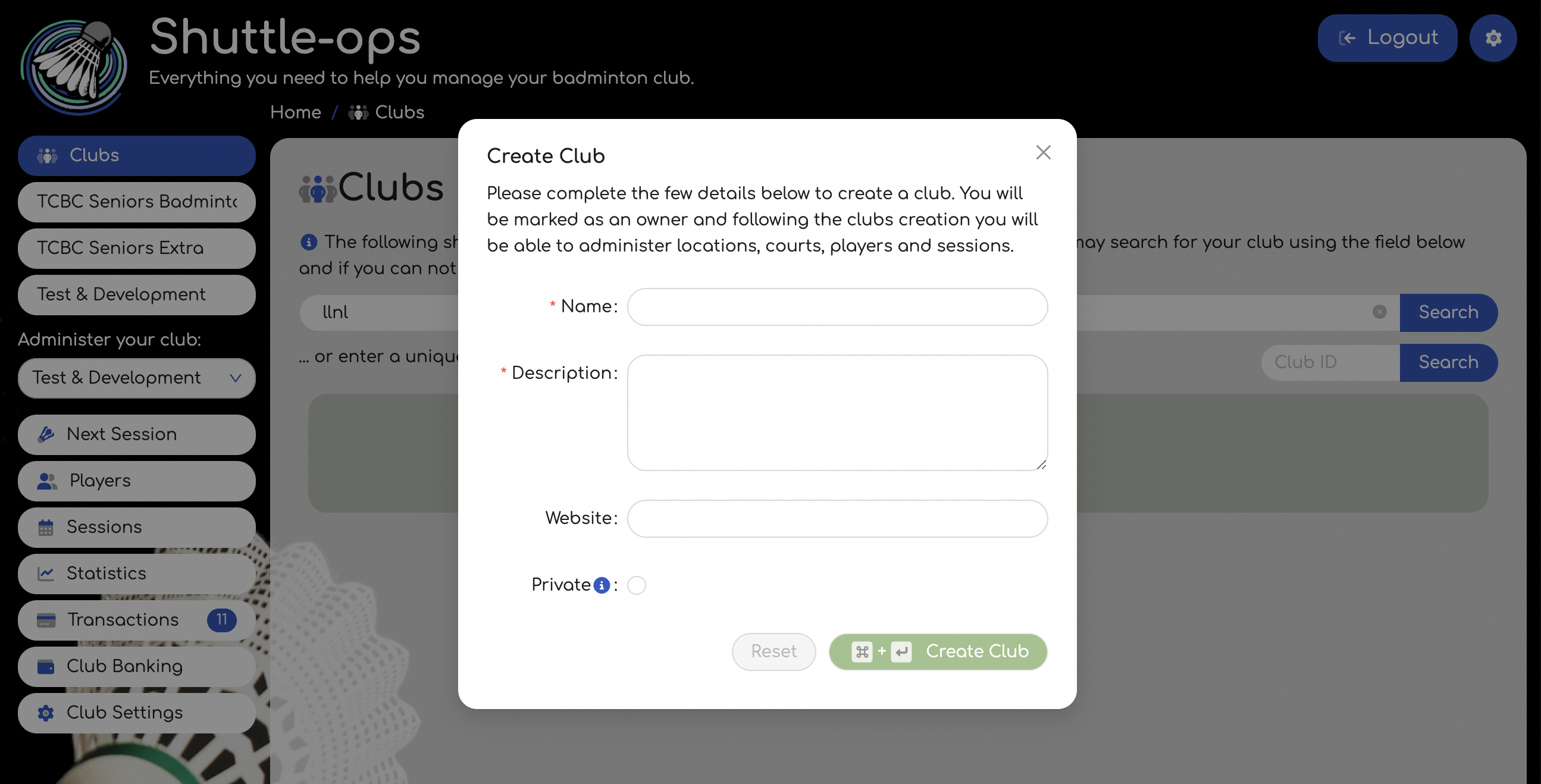
The privacy setting can be changed at a later date if required, via the club settings page.
Once the club has been created you'll be marked as an Owner and have additional permissions for this club. As a result you'll see some additional options in the menu on the left that will help you setup and manage your club.
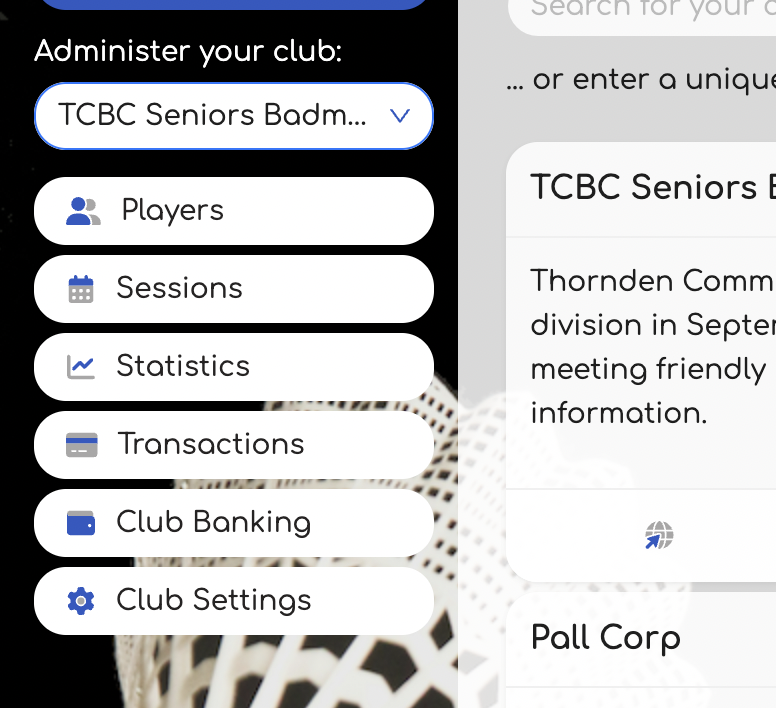
If you manage multiple clubs, use the drop down in the menu to swap between the various clubs you manage.
Was this article helpful?
That’s Great!
Thank you for your feedback
Sorry! We couldn't be helpful
Thank you for your feedback
Feedback sent
We appreciate your effort and will try to fix the article