To ensure that your members know all about the sessions you've created, we've built in the option of notifying them. This can easily be done when you've created the sessions or from the list of sessions. We'll explain both below.
After creating a session
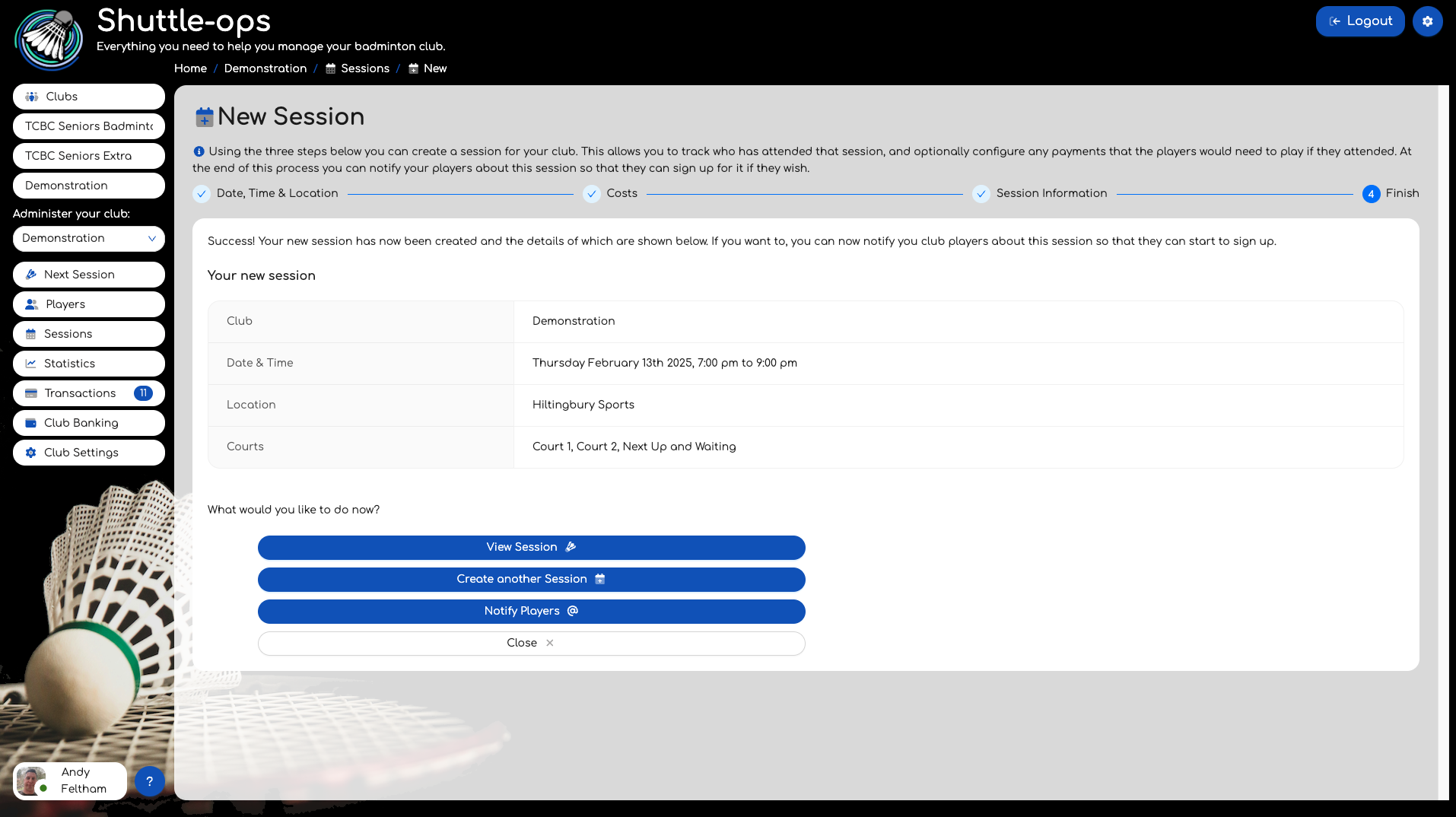
This is the view shown at the end of creating a session. Use the "Notify Players" button to email all your club members about this session.
From the sessions page
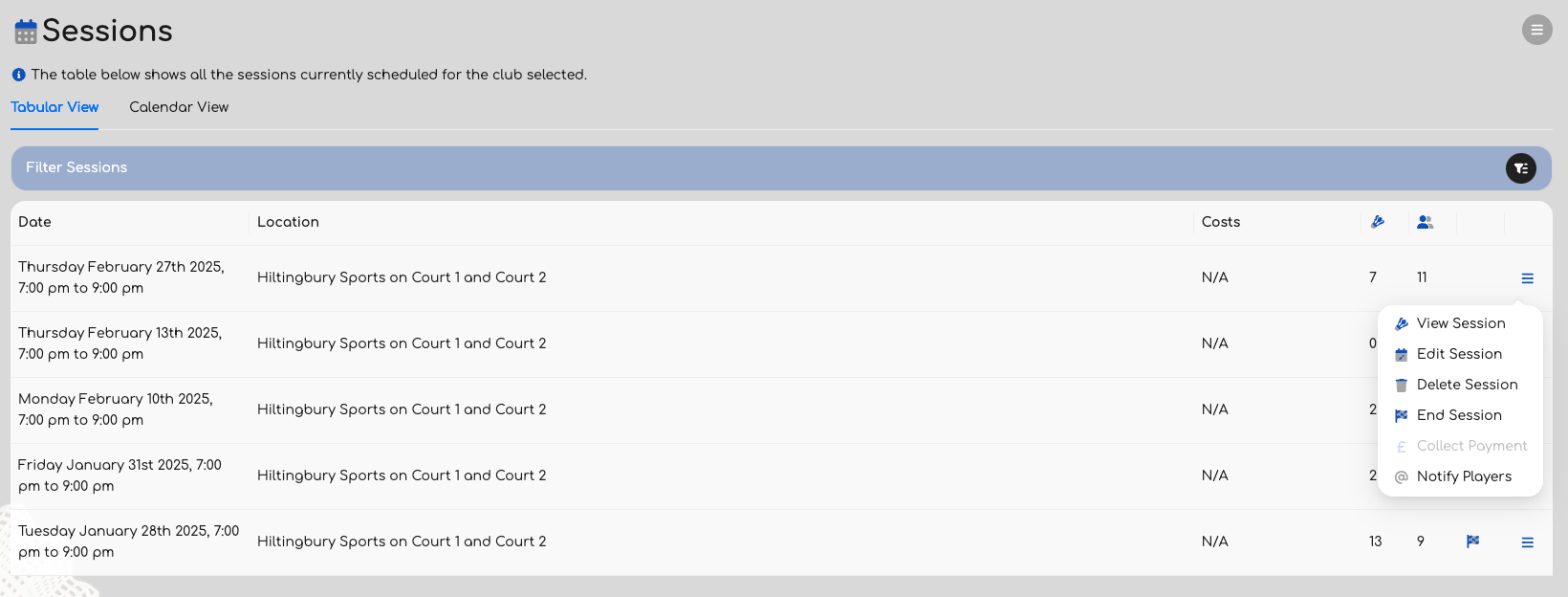
Alternatively if you've created a lot of sessions for coming months, you might want to notify your players a couple of weeks ahead of the actual event. In this instance use the Notify Players option from the menu on the Sessions page.
Both of these options will do the same thing. Please note that the players must be signed up to session notifications in order to receive the emails about the new event.
Was this article helpful?
That’s Great!
Thank you for your feedback
Sorry! We couldn't be helpful
Thank you for your feedback
Feedback sent
We appreciate your effort and will try to fix the article