ShuttleOps has the ability to notify you of various events that might happen. These can include information about the session you've attended, or new requests to join your club. While some of these, such as member requests, are required in order to ensure the system works properly others are optional. We will never sign up you to these optional emails and so you must always opt-in to receive them. To do this, head on over to your profile page which is accessible by clicking on your name in the bottom left hand corner.
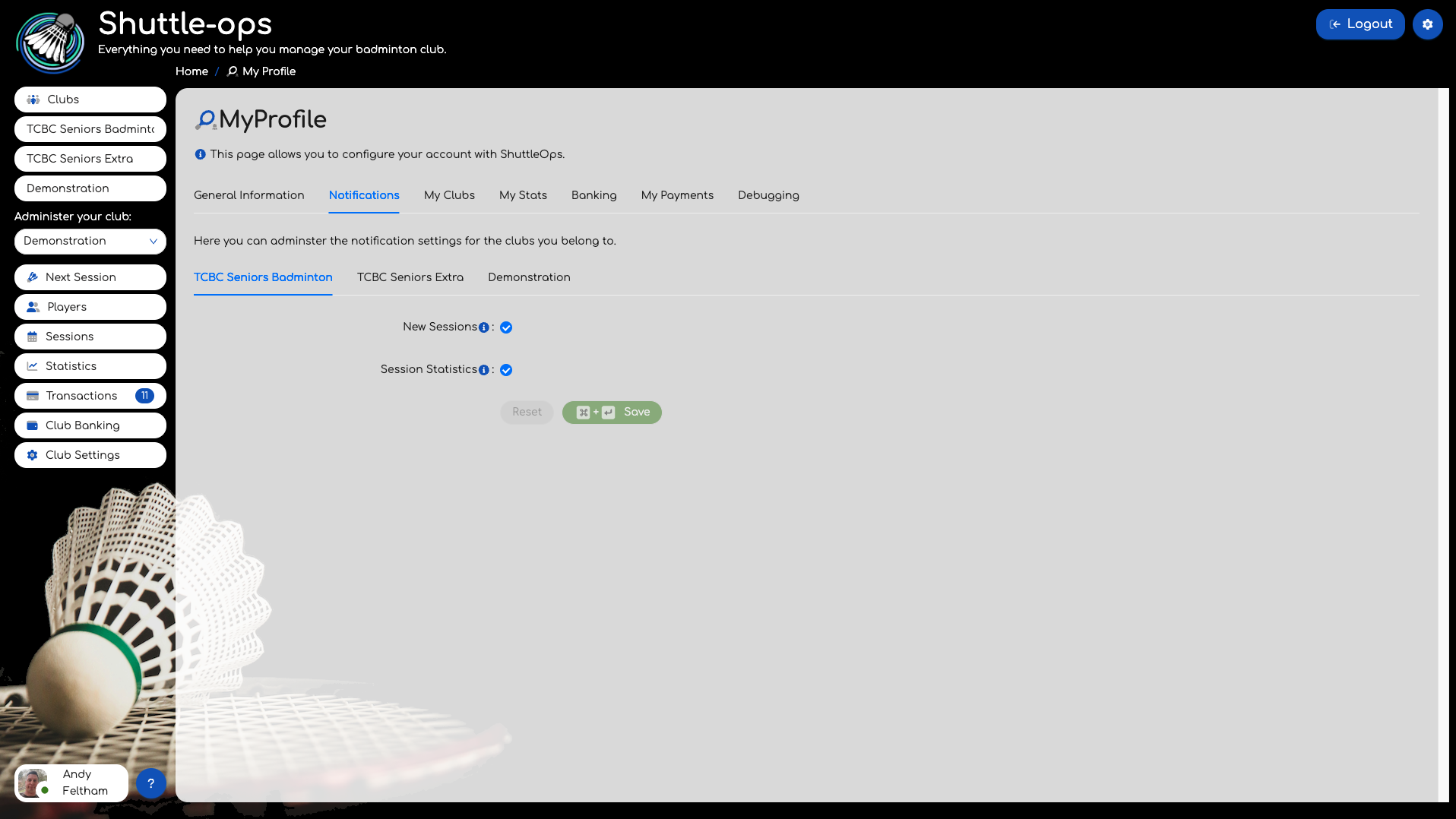
From here you can click on the "Notifications" tab and you'll see a page that contains a tab for each club you are part of. The notifications are specific to a club so that you can for example receive notifications about new sessions for one club, but not another.
Using the checkboxes simply select which types of events you want to be notified about and press Save. The next time one of those notifications are sent, you'll now get an email about it.
Was this article helpful?
That’s Great!
Thank you for your feedback
Sorry! We couldn't be helpful
Thank you for your feedback
Feedback sent
We appreciate your effort and will try to fix the article